My wordPress site suddenly went down with the “Error establishing a database connection” message. After some investigation, I also discovered traces of bot spam attacks in my comments. (Check my next post!) Here is how I recovered my site and what I learned.
Step 1: Checking the Database Status
Since I am hosting WordPress on an AWS EC2 instance, the first step was to check the status of the database service (MariaDB) via the terminal.
Following command : sudo systemctl status mariadb

Obviously someting went wrong…
Step 2: Restarting ther Service
To bring the site back, I restarted the database service.
Following command : sudo systemctl start mariadb
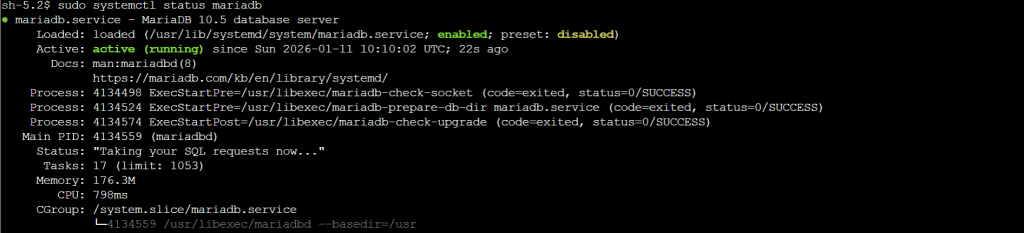
Fixed!
Lessons Learned
Running a website on AWS gives you great control, but it also means you are responsible for monitoring…
- Check your EC2 instance and DB status first.
- Keep an eye on disk space and memory.
Was just browsing mihyeonchoi.com and was impressed the layout. Nicely design and great user experience. Just had to drop a message, have a great day! we7f8sd82